
 ANDROID
Android app
The Android build for outside mainland China is being prepared.
Coming soonWe’ll publish the download here when it opensDOCUMENT TOOLS FOR PEOPLE AND AGENTS · CHAONIUDOC.APP
Scan, convert, recognize, edit and sign documents in one app. An open API and a remote MCP server let your agents use the same tools.
Both global builds are still in preparation, so there is no download on this site yet. Developers can already reach the same processing through the open API and MCP, and this page is updated the moment a download opens.


01 / AGENT ACCESS
Connect document enhancement, PDF tools, audio transcription, video script analysis and flagship image generation through the open API and MCP. Image and video jobs follow the app’s live pricing and billing rules.
An English API reference on chaoniudoc.app is in preparation.
The key above is a placeholder. Create your own key in the app.
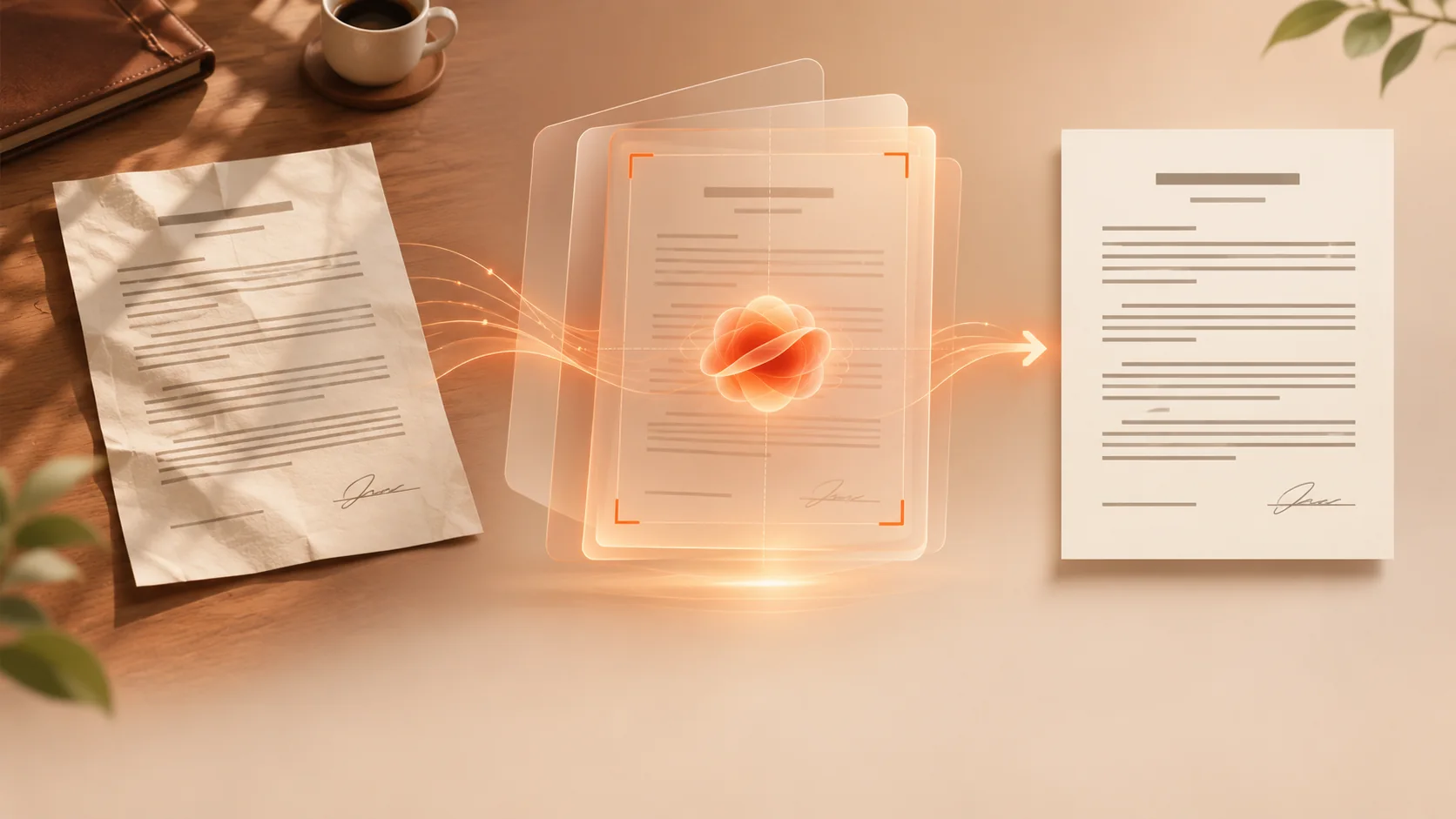
Document photo → enhancement → agent workflow
The agent calls enhance_image to detect edges, straighten and enhance the photo. The clearer result can then be read, summarised or filed by a vision model.
02 / DOCUMENTS ARE THE CORE
Free scans export with no brand watermark. Start from a clear capture, then produce PDF, Word, Excel, JPG, PNG or TXT; signing, stamping and page tidy-up happen in the same place.

03 / IMAGE CREATION · CHAONIU FLAGSHIP MODEL
Describe your image or add reference photos, choose an aspect ratio and generate a high-resolution result in the app.




Write down the brand, how the product looks and where it is used, then generate packaging, advertising and product shots.

PromptA high-end advertising image for CHAONIU amber serum: the bottle rests on warm sandstone and the sunset side light reveals real glass texture.
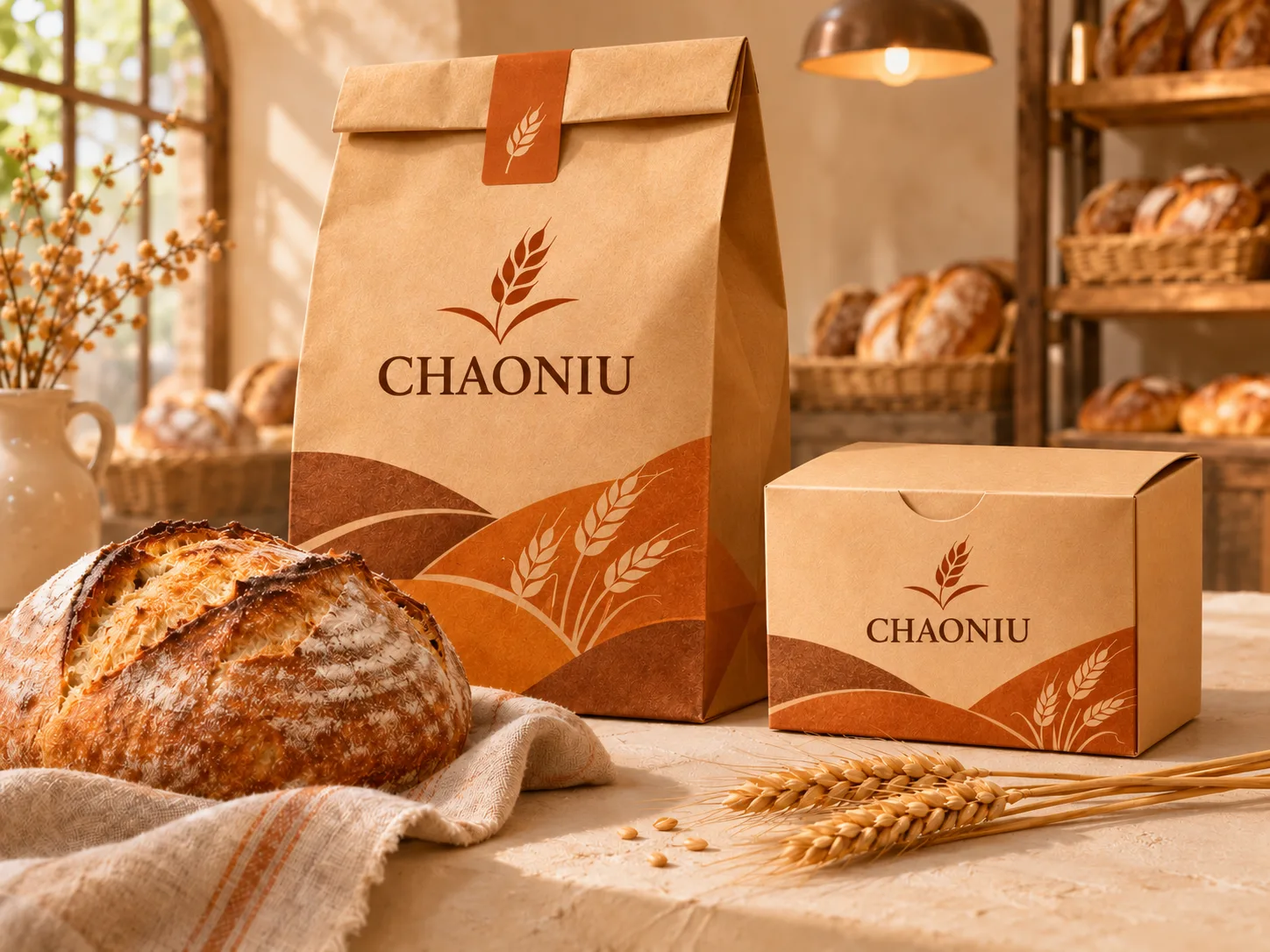
PromptKraft paper bags and gift boxes for the CHAONIU bakery brand, with baskets and wheat ears, in a warm bakery advertising scene.

PromptA product image for the CHAONIU clip-on wireless microphone: the compact mic and its charging case, metal details picked out by soft warm light.
Landscapes, interiors, fairy tales, food — every theme is worth a try.

PromptAt sunrise, golden clouds flow through the cascading valleys and a lit cabin by the lake is reflected in calm water.

PromptAn afternoon Mediterranean reading room: arched walls, olive trees and a linen sofa bathed in light from the windows.

PromptA gentle giant turtle carries a lit little bookshop through the autumn forest; fallen leaves and lanterns make it look like a picture book.

PromptGolden crisp croissants and fresh figs suspended in sunlight, with a linen tablecloth and ceramic plates forming a high-end baking still life.

Reference photo + promptUse a photo of your pet as the reference so its coat and expression carry over. Give it a plaid scarf in a sunny corner cafe, paws on the latte cup, croissants and berries on the table, plants and flowers by the window.
The products shown are fictional creative references, not real products for sale. Results change with the prompt, reference images and settings.

04 / VIDEO SCRIPTS · CREATOR TOOLBOX
Paste a public video link to extract its spoken script and export it as Word or TXT. AI breaks down the opening, structure and delivery. Links from 1,000+ platforms are supported, subject to successful parsing.
FAQ
Straight answers about free scanning in ChaoNiu Doc Scanner, the export formats and where you can use it today.
Yes. Scanning in ChaoNiu Doc Scanner is free, and the PDFs, Word files and images you export carry no ChaoNiu brand watermark.
Open ChaoNiu Doc Scanner and photograph the page. It detects the paper edges, straightens a skewed shot and enhances the image, then exports a PDF. You can then organize the pages, add a signature or a stamp, and export the finished file.
Yes. After scanning you can export Word (DOCX), Excel (XLSX) and TXT, as well as JPG and PNG. Text extraction (OCR) pulls the text out of the image so you can keep editing and searching it.
Not yet, and we would rather say so plainly. The Android build for outside mainland China is still being prepared and the iPhone app is not on the App Store yet, so there is nothing to download from this site today. Developers can already reach the same processing through the open API and the remote MCP server. The availability section on this page is updated the moment a download opens.
Yes. Add a handwritten signature and a stamp right after scanning, reorder the pages, then export the finished PDF — no second tool needed.
Yes. There is a REST API and a remote MCP server at https://chaoniudoc.com/mcp. Scan enhancement, PDF tools, audio transcription, video script analysis and image generation can all be called by an agent. Create a key in the app under “Me → Open API”; see the Open API documentation for integration details.
Availability · CHAONIUDOC.APP
Nothing on this page is a download link yet. It is updated as each route opens.
ANDROIDThe Android build for outside mainland China is being prepared.
Coming soonWe’ll publish the download here when it opens IPHONE
The iPhone version is preparing its official download route.
Coming to the App StoreDownloads will be available here once it opensQuestions, data requests and refunds — start here.